Požadavky na absolvování
Explain Everything es un sistema de pizarra digital diseñado para el mundo escolar.
3. WHY?
|
Explain Everything lets teachers, or students, create presentations that pull in rich sources of media, from images and audio to videos and websites. Thanks to compatibility with services such as Dropbox, Google Drive, and iTunes – to name a few – there are many ways to pull in media from personal devices. Crucially, this system is created for students also, with collaboration features, making it a great way to integrate digital skills learning with subject specific presentations.
|
|
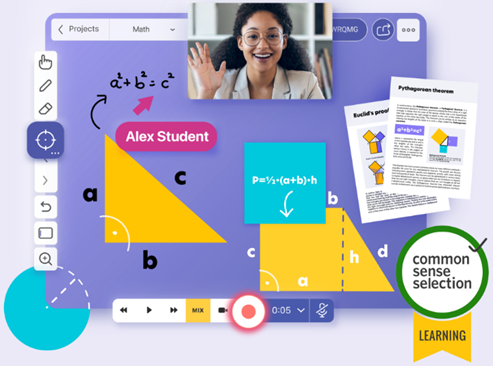
Explain Everything is designed to help you share your thinking, both locally and remotely, no matter the distance. It can be used in any situation when you need to either get your own thoughts together or get your message across. Communication can span across many disciplines in both education and business.
Who uses Explain Everything?
- Tutors and consultants
- Trainers and teachers
- Graphic and visual facilitators
- Storytellers and music teachers
- Continuous and visual learners
- Inside and field sales professionals
- Product developers and user-experience designers
- Active learning organizations and universities
- People that need to explain or present complex concepts and connect with their audience
Explain Everything best tips and tricks:
- Teach a lesson on video: By creating a video that works through an activity, saying when to pause, a student can be taught as if you were there. Show a sentence in another language, ask which words are verbs, then highlight the answers after a short pause break.
- Use in class: Doing a science experiment? Have students take photos and record audio along the way to explain how it all worked as part of a homework submission for after the class is done. This could apply to more than just science classes too.
- Work within Canvas: Explain Everything works with Canvas so you can use the learning management systems (LMS) and set up an online whiteboard within that.